How to Automate Construction Reports with AI: End Manual Reporting for Good
It’s 5:30pm. The crew has knocked off, the subcontractors are packing up, and you’ve still got a daily report, a progress update, and a safety observation log to write before you can leave site. Sound familiar?
Most site managers spend 60 to 90 minutes every day just on reporting. That’s time you’re not solving tomorrow’s problems. If you want to automate construction reports with AI, this article gives you the exact tools, prompt templates, and workflows to cut that reporting time down to under 15 minutes — without sacrificing compliance or quality.
Why AI Daily Report Generators Are Replacing Manual Writeups on Site
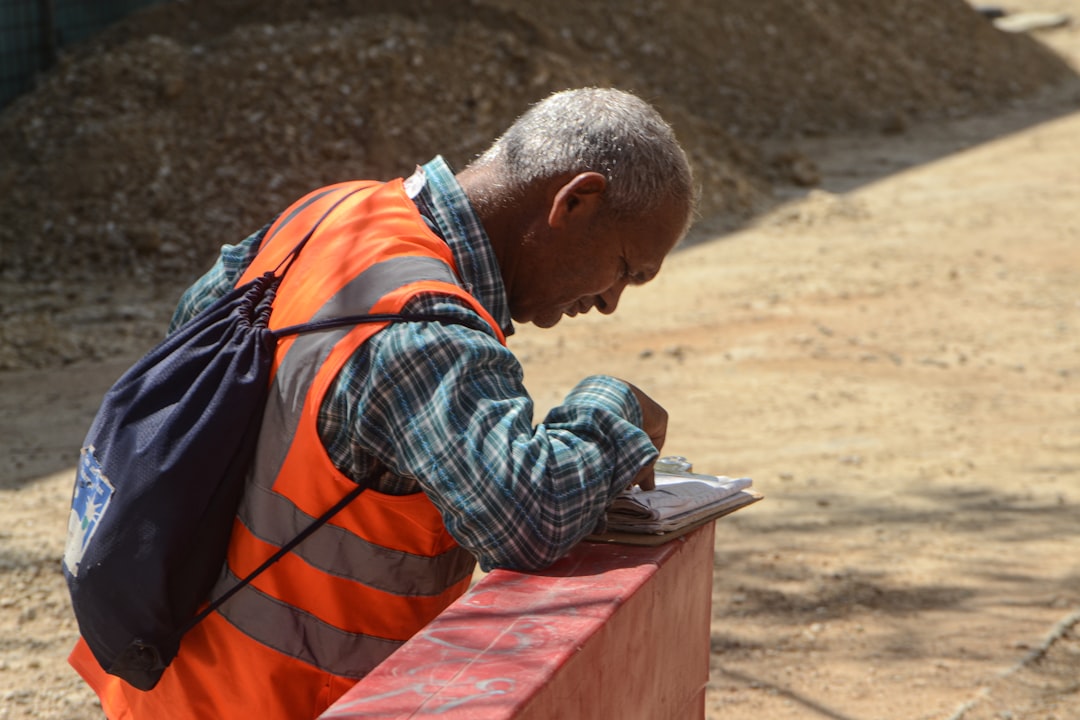
At 4:30pm, when your concreters are finishing a slab pour and your sparky is chasing the electrical foreman over a variation, the last thing you want to do is sit down and reconstruct the day from memory. That’s exactly when a manual daily report falls apart — you forget details, you generalise, and the report ends up being three lines of near-useless information.
An AI daily report generator for construction works differently. You feed it rough notes — even voice-to-text dictation from your phone — and it outputs a structured, professional daily report in the format your client or superintendent expects.
The tool most site managers are starting with is ChatGPT (free tier available; ChatGPT Plus from $20/month USD). It’s not construction-specific, but with the right prompt it produces compliant reports fast. Best suited for: site managers who want flexibility and are comfortable writing their own prompts.
For something more purpose-built, Buildots (pricing on request, enterprise-focused) uses AI to generate progress reports from site camera data. Best suited for: large commercial projects with regular superintendent reporting requirements.
Here’s the workflow that actually works in the field:
Step 1: Take rough notes throughout the day — Use your phone’s voice memo or notes app. Don’t worry about formatting. Just capture trade activity, delays, weather, visitors, and any RFIs raised.
Step 2: Open ChatGPT at end of day — Paste your rough notes into the prompt along with the template below.
Step 3: Review and adjust the output — Check numbers, names, and RFI references. AI gets 90% there; you close the gap.
Step 4: Copy into your company report format — Whether that’s a PDF template, Procore field, or email to the superintendent, the hard work is already done.
Try this prompt:
You are a construction site manager writing an end-of-day site report. Use the following rough notes to produce a formal daily report. Include sections for: Date, Weather, Trades on Site, Work Completed, Delays or Issues, RFIs Raised, Safety Observations, and Work Planned for Tomorrow. Keep language professional but concise. Today’s notes: [paste your rough notes here]. Project: [project name]. Date: [date]. Site location: [suburb/state].
Automated Site Reports for Weekly Progress Meetings
During Friday’s 2pm progress meeting, your project manager asks for an update on the electrical package. You’ve been across it all week, but pulling together a coherent summary under pressure — while the room is waiting — is where things get messy.
Automated site reports solve this by letting you generate a weekly summary from your daily reports, without writing anything from scratch. The approach is simple: at the end of each day, your AI-generated daily reports are stored in a folder or a tool like Notion or Google Docs. On Friday morning, you feed that week’s reports back into the AI and ask it to summarise them into a weekly progress report.
how to set up a digital site diary system
Notion AI (free tier available; Notion AI add-on from $10/month per user) can summarise documents you’ve stored inside Notion. Best suited for: small to mid-size site teams who already manage documents digitally.
Microsoft Copilot (included with Microsoft 365 Business Standard from $12.50/month per user) works directly inside Word and Teams, which makes it practical for teams already on the Microsoft stack. Best suited for: site managers working within a corporate builder environment.
Use this template:
Summarise the following five daily site reports into a single weekly progress report. Include: overall programme status, key work completed by trade, outstanding RFIs (list by RFI number), weather impacts, safety incidents or near-misses, and priorities for next week. Tone: professional, factual. Reports: [paste Monday–Friday daily reports].
Using Construction Reporting Software AI for Safety and SWMS Documentation
At the 7am toolbox talk on Monday, your formwork subcontractor tells you they’ve changed their pour sequence. That means their existing SWMS may not cover the new method. You need a revised document before work starts — and you needed it yesterday.
This is where AI progress report tools built for construction compliance start earning their keep beyond just daily logs. Tools like Procore (pricing on request; widely used on Tier 1 and Tier 2 projects) now have AI-assisted features for generating and reviewing safety documentation, including flagging gaps in SWMS content against the scope of work described.
For smaller builders without enterprise software, Claude (free tier available; Claude Pro from $20/month USD) handles compliance-style documents well. It’s better than ChatGPT for longer, structured documents like SWMS, method statements, and inspection test plans. Best suited for: project engineers and site managers who need to draft or review safety documentation quickly.
Try this prompt:
Draft a Safe Work Method Statement (SWMS) for the following construction activity. Include: high-risk construction work identification, step-by-step task breakdown, hazards for each step, risk rating (likelihood x consequence), and controls. Activity: [e.g. suspended formwork installation at 4.5m height]. Project: [project name]. Principal contractor: [company name]. Date: [date]. This SWMS must comply with [state] WHS Regulations.
Be clear with your team: AI drafts the SWMS, but a competent person on site must review and sign it off. AI doesn’t replace the sign-off process.
SWMS review checklist for site managers
Generating AI Progress Reports for Cost and Programme Updates

Halfway through a busy month-end, your commercial manager needs a cost report narrative to go with the progress claim. You’ve got the numbers in your cost tracking sheet, but writing the narrative — explaining variances, flagging risks, documenting the reasons for claims — takes another hour you don’t have.
AI progress report generation for construction handles this narrative layer well. You give it the data, it writes the story around it.
The most effective approach for monthly reporting:
Step 1: Export your cost data — Pull a cost report from your project management system (Procore, Jobpac, Cheops, or even a spreadsheet). You don’t need to paste every line — summarise by cost code or trade package.
Step 2: Note key variances and reasons — Jot down three to five bullet points explaining the main movements. This is the context AI needs to write accurately.
Step 3: Feed both into ChatGPT or Claude — Use the prompt below.
Step 4: Add the narrative to your progress claim — Review it, adjust for anything project-specific, and you’re done.
Step 5: Save the prompt for next month — With minor tweaks, the same prompt structure works every reporting cycle.
Try this prompt:
Write a cost report narrative for a construction progress claim. Use the following cost summary and variance notes to produce a professional, factual narrative suitable for a superintendent review. Include: overall project cost status, explanation of key variances by trade package, risks to cost completion, and any EOT claims pending. Cost summary: [paste summary]. Variance notes: [paste bullet points]. Project: [project name]. Claim number: [number]. Period ending: [date].
Frequently Asked Questions
Can AI actually generate compliant construction reports, or does it just produce generic text?
With the right prompt and context, AI produces reports that are structurally compliant and professionally written. The key is feeding it specific project information — RFI numbers, trade names, dates, locations — rather than asking it to work from nothing. Generic output comes from generic input. Treat AI like a smart offsider: brief it properly and it delivers.
What’s the best free AI tool for site managers to start with?
ChatGPT’s free tier is the best starting point. It handles daily reports, weekly summaries, and even draft safety documentation without any subscription cost. Once you’ve built a library of prompts that work for your project type, consider upgrading to ChatGPT Plus ($20/month) for faster responses and access to GPT-4.
Will my superintendent accept AI-generated reports?
Yes — because they don’t read like AI wrote them when they’re properly prompted and reviewed. Superintendents care about accuracy, completeness, and consistency, not how you drafted the document. If the report is factually correct, properly formatted, and covers the required fields, it will be accepted. Always review before sending.
How long does it take to set up an AI reporting workflow?
You can have a working daily report prompt ready in under 30 minutes. Start with the ChatGPT prompt in this article, run it against yesterday’s notes, and see what comes out. Most site managers have a usable workflow within one week of first trying it.
Start Saving Time on Site Reporting This Week
Here’s what to take away from this article:
First, start with a single report type — your daily site report — and get the AI prompt dialled in before trying to automate everything at once. One good prompt you actually use beats five you never open.
Second, your rough notes are your raw material. The better your field notes (even voice dictation), the better your AI output. Build the habit of capturing information as it happens, not at 5pm from memory.
Third, AI handles the writing — you handle the accuracy. Every report still needs a two-minute review before it goes to the superintendent or gets filed. That check is on you, not the tool.
The site managers who adopt this now will have a measurable productivity edge within a month. Those who wait will still be at their desks at 6pm in six months, writing reports by hand.
Want more practical AI workflows built specifically for construction? subscribe to the ConstructionHQ newsletter for weekly tools and templates
Leave a Reply