Author: mokaidigital@gmail.com

  • How to Automate Construction Documentation with AI (55 chars)

    How to Automate Construction Documentation with AI: The Complete Playbook

    It’s 5:30pm. You’ve got three unanswered RFIs, a subcontractor chasing a variation approval, and a handover pack due Friday that’s currently a folder of loose PDFs. Sound familiar? Documentation doesn’t kill projects overnight — it bleeds them slowly, hour by hour, until your margin is gone and your team is burned out. Learning how to automate construction documentation with AI won’t fix every problem, but it will give you back the time you’re losing to paperwork that a machine can handle faster and more consistently than any PM.


    AI Document Management in Construction: Where to Start Without Breaking Everything

    Project manager reviewing AI-generated document dashboard on laptop in site office
    Photo by Amina Atar on Unsplash

    At 7am, before the first trade hits site, most PMs are already buried in their inbox. That’s the wrong place to start an automation strategy.

    The smarter move is to audit your document types first. List everything your team produces in a week: daily reports, RFIs, submittals, SWMS, variation requests, meeting minutes, inspection records. Then rank them by volume and pain. For most commercial PMs, daily reports and RFIs sit at the top of both lists.

    Start with one document type. Don’t try to automate everything at once — you’ll create chaos and lose your team’s trust in the process.

    The tool to start with: Notion AI (from $10/month per user, free trial available). It’s best suited for PMs who want a central hub where meeting notes, RFI logs, and daily reports live together, with AI summarisation built in. You set up a template once, and the AI fills in the structured fields from your raw notes.

    Try this prompt:

    You are a construction project manager assistant. I’m going to paste my rough site notes from today. Convert them into a structured daily site report with the following sections: Date, Site Location, Weather, Trades on Site, Works Completed, Works in Progress, Delays or Issues, RFIs Raised, Safety Observations, Tomorrow’s Plan. Keep language factual and professional. Here are my notes: [paste notes]

    Run this at 4pm every day and your daily report takes five minutes instead of thirty. setting up daily report templates in Notion AI


    How to Automate RFIs with AI: Faster Responses, Better Records
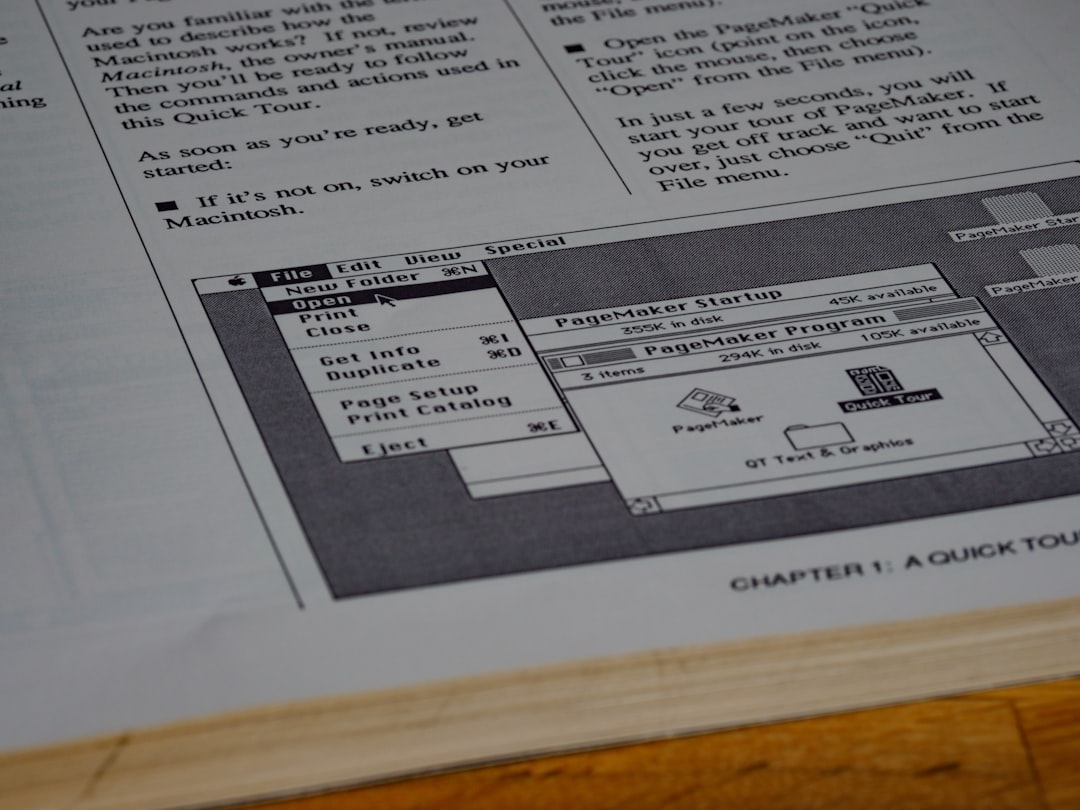
    RFI log spreadsheet on screen with AI-generated response draft alongside
    Photo by Brett Jordan on Unsplash

    When your structural engineer sends a late response to an RFI at 4pm on a Wednesday, your concreting crew is waiting on the answer before they can proceed Thursday morning. Every hour of delay is a programme risk.

    AI won’t replace your engineer — but it can dramatically speed up how you draft, log, track, and follow up on RFIs.

    Here’s the step-by-step workflow that works on live projects:

    Step 1: Centralise your RFI log — Use a shared platform like Procore (from $375/month for small teams, widely used on mid-to-large commercial projects) or Aconex (pricing on request, best for Tier 1 and government projects). Both have AI-assisted features for RFI tracking and routing.

    Step 2: Draft the RFI with AI — Paste the issue description into ChatGPT (free tier available, GPT-4 from $20/month via ChatGPT Plus) or Claude (free tier, Pro from $20/month). Use a structured prompt to generate a clear, professional RFI body.

    Step 3: Attach relevant drawings and specs — Reference the specific drawing number and spec clause. AI can help you cross-reference if you’ve uploaded documents to a tool like Egnyte (from $20/user/month, best for document control on multi-site projects).

    Step 4: Set automated follow-up reminders — In Procore or even a Zapier workflow (free up to 100 tasks/month), trigger a reminder email to the RFI recipient if no response after 48 hours.

    Step 5: Log the response and link to the programme — When the answer comes back, use AI to summarise it into one or two sentences for your weekly report.

    Use this template:

    RFI #[number] — [Project Name] — [Date]
    Trade Affected: [e.g. Structural Steel]
    Location: [Grid reference or level]
    Drawing Reference: [e.g. SK-S-042 Rev B]
    Issue: [Clear one-paragraph description of the conflict or query]
    Information Required: [Specific question — one sentence]
    Programme Impact if Unresolved by [date]: [e.g. 2-day delay to Level 3 slab pour]
    Requested Response By: [date]

    This format gets faster responses because it makes the impact clear. Consultants respond quicker when they can see the programme consequence.


    Submittals and SWMS: Using Construction Document Automation Software to Reduce Rework
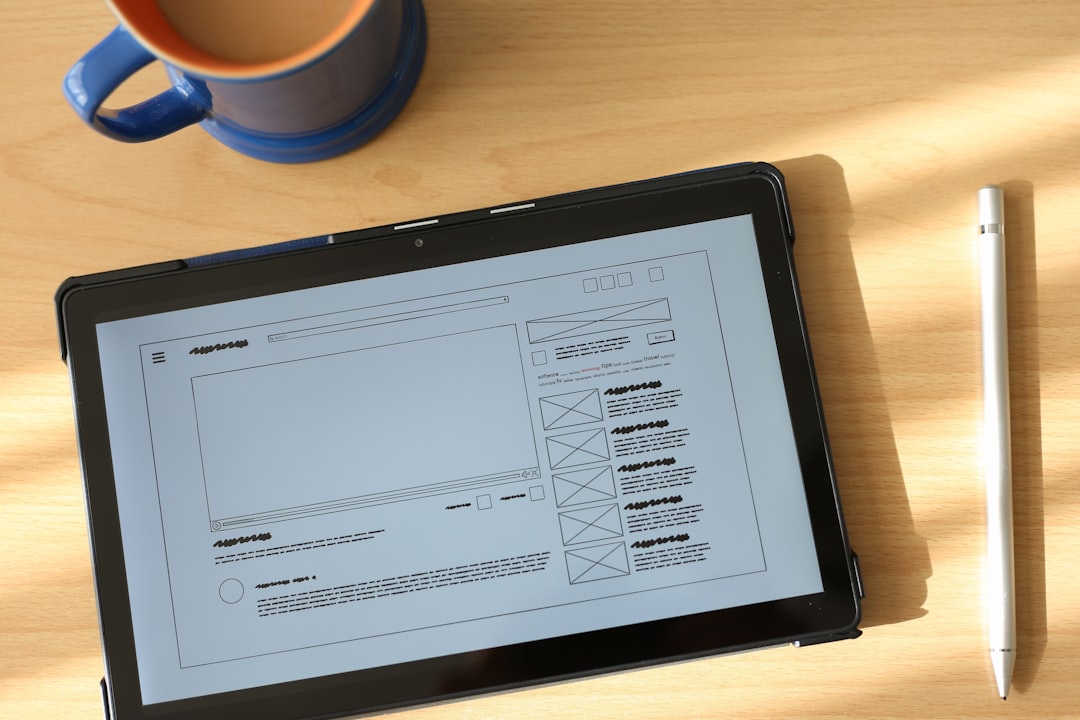
    Subcontractor submitting SWMS document on tablet with AI review checklist on screen
    Photo by Sahand Babali on Unsplash

    On Friday afternoon, your electrical subcontractor drops a 40-page SWMS on your desk for Monday’s high-voltage switchroom works. You’ve got two hours to review it before you leave site.

    This is where construction document automation software earns its keep.

    Draftworx and Dokkio (both offer free tiers with paid plans from around $15-25/user/month) can scan uploaded documents and flag gaps against a checklist. But for SWMS review specifically, the fastest workflow right now is uploading the document to Claude (Anthropic’s AI, free tier handles large documents well) and running a structured review prompt.

    Try this prompt:

    I’m a construction project manager. I’ve uploaded a SWMS for [trade, e.g. electrical installation in a live switchroom]. Review it against Australian WHS Regulations and check for the following: identification of all high-risk construction work, adequate hazard identification for working near live electrical equipment, PPE requirements, emergency procedures, and worker sign-off fields. List any gaps or missing elements with specific recommendations.

    For submittals — shop drawings, material samples, product data — Procore’s submittal workflow with AI-assisted review flags missing information before it reaches the design team. That cuts the back-and-forth revision cycle that chews up weeks on fitout projects.

    how to set up a submittal register in Procore


    Automating Change Orders and Variation Requests with AI for Construction Paperwork

    PM reviewing AI-drafted variation request on laptop next to printed contract documents
    Photo by Chanhee Lee on Unsplash

    Halfway through a busy formwork pour, your leading hand tells you the reinforcement layout doesn’t match the latest drawing issue. It’s a variation. You know it, the subbies know it. But if you don’t document it properly in the next 24 hours, you’ll be arguing about it at project close.

    AI for construction paperwork makes variation documentation faster and more defensible.

    The workflow: voice-memo your site observation on the way back to the office. Drop the transcript into ChatGPT or Claude with a prompt asking it to draft a formal variation request using your contract’s required fields (scope change, cause, time impact, cost impact, supporting clause reference).

    Vertexai Document AI (Google Cloud, pay-per-use from around $0.01 per page) can extract information from existing contracts and cross-reference clause numbers relevant to your variation claim — useful on complex projects where getting the clause wrong weakens your position.

    For smaller teams, Monday.com Work OS (from $9/seat/month, free trial available, best for SME builders) lets you build a variation register with automated status tracking and approval workflows, so nothing falls through the cracks between PM, QS, and client.

    The key discipline: log every potential variation the day it happens. AI makes drafting fast enough that there’s no excuse not to.


    AI-Assisted Handover Packs: Closing Out Projects Without the Last-Minute Scramble
    Construction handover pack documents organised digitally with AI checklist on screen
    Photo by Claudio Schwarz on Unsplash

    Three weeks before practical completion, most PMs are still chasing O&M manuals, as-built drawings, warranties, and commissioning records from twelve different subcontractors. The handover pack becomes a last-minute panic that delays PC and frustrates the client.

    ChatGPT-4 with a custom GPT (available to ChatGPT Plus subscribers at $20/month) can be configured to act as your handover coordinator — tracking what’s been received, what’s outstanding, and generating chaser emails to subcontractors automatically.

    Matterport ($6.99/month basic, from $65/month for Pro) handles digital as-built capture using 360° scanning — worth it on fitout projects where the client wants a visual record of services before walls are closed.

    For the actual document compilation, Adobe Acrobat AI Assistant (included in Acrobat Pro, from $19.99/month) can merge documents, generate a table of contents, and summarise key warranty terms across a multi-hundred-page handover pack.

    Start building the handover pack from week one of the project. Use AI to generate the required document register at the project kickoff, send it to subcontractors as part of their onboarding, and automate monthly reminders as PC approaches. By the time you hit the final three weeks, you’re chasing two or three items — not forty.


    Frequently Asked Questions

    What types of construction documents can AI actually automate?

    AI handles document drafting, formatting, summarising, and reviewing well. In construction, that covers daily reports, RFIs, variation requests, meeting minutes, SWMS gap analysis, submittal cover letters, and handover pack compilation. AI won’t replace your professional judgement on technical matters, but it handles the writing and organising so you can focus on decisions.

    Is AI document management in construction secure enough for sensitive project data?

    Most enterprise platforms like Procore, Aconex, and Egnyte are built to construction-industry security standards with role-based access and audit trails. For general AI tools like ChatGPT or Claude, avoid pasting commercially sensitive data (contract values, proprietary designs) into free tiers. Use enterprise plans or private deployments for sensitive projects.

    How long does it take to set up AI document automation on a live project?

    For daily reports and RFIs, you can have a working system in two to three days — mostly setup time for templates and prompts. Deeper integration with platforms like Procore takes one to two weeks including team training. Start with one document type and expand once your team is comfortable.

    Do I need technical skills to use AI for construction paperwork?

    No. The tools mentioned in this article — ChatGPT, Claude, Notion AI, Procore’s AI features — are designed for non-technical users. If you can write an email, you can write a prompt. The learning curve is less about technology and more about developing the habit of using the tools consistently.


    Start Automating This Week

    Here’s what to take from this playbook and act on immediately:

    First, pick one document type — daily reports are the easiest win — and build a single AI prompt that formats your rough notes into a finished report. Use it every day for two weeks before adding anything else.

    Second, set up a structured RFI template (use the one in this article) and start logging every RFI in a centralised platform like Procore or even a Notion database. Automated follow-up reminders alone will speed up your response times.

    Third, start your handover pack register at project kickoff, not three weeks before PC. Use AI to generate the required document list from your contract scope and send it to subcontractors on day one.

    Documentation is one of those problems where a small system beats massive effort every time. An hour invested in a good prompt or template saves you days over a twelve-month project.

    Want more practical AI workflows built specifically for construction PMs? Subscribe to the ConstructionHQ newsletter for weekly tactics you can use on site the same day.
    explore more AI tools for construction project managers

  • How to Automate Construction Reports with AI (52 chars)

    How to Automate Construction Reports with AI: End Manual Reporting for Good

    It’s 5:30pm. The crew has knocked off, the subcontractors are packing up, and you’ve still got a daily report, a progress update, and a safety observation log to write before you can leave site. Sound familiar?

    Most site managers spend 60 to 90 minutes every day just on reporting. That’s time you’re not solving tomorrow’s problems. If you want to automate construction reports with AI, this article gives you the exact tools, prompt templates, and workflows to cut that reporting time down to under 15 minutes — without sacrificing compliance or quality.


    Why AI Daily Report Generators Are Replacing Manual Writeups on Site

    Site manager using a tablet to generate an AI daily report on a construction site at end of day
    Photo by Agustín Pimentel on Unsplash

    At 4:30pm, when your concreters are finishing a slab pour and your sparky is chasing the electrical foreman over a variation, the last thing you want to do is sit down and reconstruct the day from memory. That’s exactly when a manual daily report falls apart — you forget details, you generalise, and the report ends up being three lines of near-useless information.

    An AI daily report generator for construction works differently. You feed it rough notes — even voice-to-text dictation from your phone — and it outputs a structured, professional daily report in the format your client or superintendent expects.

    The tool most site managers are starting with is ChatGPT (free tier available; ChatGPT Plus from $20/month USD). It’s not construction-specific, but with the right prompt it produces compliant reports fast. Best suited for: site managers who want flexibility and are comfortable writing their own prompts.

    For something more purpose-built, Buildots (pricing on request, enterprise-focused) uses AI to generate progress reports from site camera data. Best suited for: large commercial projects with regular superintendent reporting requirements.

    Here’s the workflow that actually works in the field:

    Step 1: Take rough notes throughout the day — Use your phone’s voice memo or notes app. Don’t worry about formatting. Just capture trade activity, delays, weather, visitors, and any RFIs raised.

    Step 2: Open ChatGPT at end of day — Paste your rough notes into the prompt along with the template below.

    Step 3: Review and adjust the output — Check numbers, names, and RFI references. AI gets 90% there; you close the gap.

    Step 4: Copy into your company report format — Whether that’s a PDF template, Procore field, or email to the superintendent, the hard work is already done.

    Try this prompt:

    You are a construction site manager writing an end-of-day site report. Use the following rough notes to produce a formal daily report. Include sections for: Date, Weather, Trades on Site, Work Completed, Delays or Issues, RFIs Raised, Safety Observations, and Work Planned for Tomorrow. Keep language professional but concise. Today’s notes: [paste your rough notes here]. Project: [project name]. Date: [date]. Site location: [suburb/state].


    Automated Site Reports for Weekly Progress Meetings

    Weekly progress report displayed on a laptop screen during a construction site meeting with project managers
    Photo by Agustín Pimentel on Unsplash

    During Friday’s 2pm progress meeting, your project manager asks for an update on the electrical package. You’ve been across it all week, but pulling together a coherent summary under pressure — while the room is waiting — is where things get messy.

    Automated site reports solve this by letting you generate a weekly summary from your daily reports, without writing anything from scratch. The approach is simple: at the end of each day, your AI-generated daily reports are stored in a folder or a tool like Notion or Google Docs. On Friday morning, you feed that week’s reports back into the AI and ask it to summarise them into a weekly progress report.

    how to set up a digital site diary system

    Notion AI (free tier available; Notion AI add-on from $10/month per user) can summarise documents you’ve stored inside Notion. Best suited for: small to mid-size site teams who already manage documents digitally.

    Microsoft Copilot (included with Microsoft 365 Business Standard from $12.50/month per user) works directly inside Word and Teams, which makes it practical for teams already on the Microsoft stack. Best suited for: site managers working within a corporate builder environment.

    Use this template:

    Summarise the following five daily site reports into a single weekly progress report. Include: overall programme status, key work completed by trade, outstanding RFIs (list by RFI number), weather impacts, safety incidents or near-misses, and priorities for next week. Tone: professional, factual. Reports: [paste Monday–Friday daily reports].


    Using Construction Reporting Software AI for Safety and SWMS Documentation

    Site manager reviewing AI-generated SWMS safety documentation on a construction site tablet
    Photo by Agustín Pimentel on Unsplash

    At the 7am toolbox talk on Monday, your formwork subcontractor tells you they’ve changed their pour sequence. That means their existing SWMS may not cover the new method. You need a revised document before work starts — and you needed it yesterday.

    This is where AI progress report tools built for construction compliance start earning their keep beyond just daily logs. Tools like Procore (pricing on request; widely used on Tier 1 and Tier 2 projects) now have AI-assisted features for generating and reviewing safety documentation, including flagging gaps in SWMS content against the scope of work described.

    For smaller builders without enterprise software, Claude (free tier available; Claude Pro from $20/month USD) handles compliance-style documents well. It’s better than ChatGPT for longer, structured documents like SWMS, method statements, and inspection test plans. Best suited for: project engineers and site managers who need to draft or review safety documentation quickly.

    Try this prompt:

    Draft a Safe Work Method Statement (SWMS) for the following construction activity. Include: high-risk construction work identification, step-by-step task breakdown, hazards for each step, risk rating (likelihood x consequence), and controls. Activity: [e.g. suspended formwork installation at 4.5m height]. Project: [project name]. Principal contractor: [company name]. Date: [date]. This SWMS must comply with [state] WHS Regulations.

    Be clear with your team: AI drafts the SWMS, but a competent person on site must review and sign it off. AI doesn’t replace the sign-off process.

    SWMS review checklist for site managers


    Generating AI Progress Reports for Cost and Programme Updates

    Construction project manager reviewing an AI-generated cost and programme progress report on a desktop computer
    Photo by Fotos on Unsplash

    Halfway through a busy month-end, your commercial manager needs a cost report narrative to go with the progress claim. You’ve got the numbers in your cost tracking sheet, but writing the narrative — explaining variances, flagging risks, documenting the reasons for claims — takes another hour you don’t have.

    AI progress report generation for construction handles this narrative layer well. You give it the data, it writes the story around it.

    The most effective approach for monthly reporting:

    Step 1: Export your cost data — Pull a cost report from your project management system (Procore, Jobpac, Cheops, or even a spreadsheet). You don’t need to paste every line — summarise by cost code or trade package.

    Step 2: Note key variances and reasons — Jot down three to five bullet points explaining the main movements. This is the context AI needs to write accurately.

    Step 3: Feed both into ChatGPT or Claude — Use the prompt below.

    Step 4: Add the narrative to your progress claim — Review it, adjust for anything project-specific, and you’re done.

    Step 5: Save the prompt for next month — With minor tweaks, the same prompt structure works every reporting cycle.

    Try this prompt:

    Write a cost report narrative for a construction progress claim. Use the following cost summary and variance notes to produce a professional, factual narrative suitable for a superintendent review. Include: overall project cost status, explanation of key variances by trade package, risks to cost completion, and any EOT claims pending. Cost summary: [paste summary]. Variance notes: [paste bullet points]. Project: [project name]. Claim number: [number]. Period ending: [date].


    Frequently Asked Questions

    Can AI actually generate compliant construction reports, or does it just produce generic text?

    With the right prompt and context, AI produces reports that are structurally compliant and professionally written. The key is feeding it specific project information — RFI numbers, trade names, dates, locations — rather than asking it to work from nothing. Generic output comes from generic input. Treat AI like a smart offsider: brief it properly and it delivers.

    What’s the best free AI tool for site managers to start with?

    ChatGPT’s free tier is the best starting point. It handles daily reports, weekly summaries, and even draft safety documentation without any subscription cost. Once you’ve built a library of prompts that work for your project type, consider upgrading to ChatGPT Plus ($20/month) for faster responses and access to GPT-4.

    Will my superintendent accept AI-generated reports?

    Yes — because they don’t read like AI wrote them when they’re properly prompted and reviewed. Superintendents care about accuracy, completeness, and consistency, not how you drafted the document. If the report is factually correct, properly formatted, and covers the required fields, it will be accepted. Always review before sending.

    How long does it take to set up an AI reporting workflow?

    You can have a working daily report prompt ready in under 30 minutes. Start with the ChatGPT prompt in this article, run it against yesterday’s notes, and see what comes out. Most site managers have a usable workflow within one week of first trying it.


    Start Saving Time on Site Reporting This Week

    Here’s what to take away from this article:

    First, start with a single report type — your daily site report — and get the AI prompt dialled in before trying to automate everything at once. One good prompt you actually use beats five you never open.

    Second, your rough notes are your raw material. The better your field notes (even voice dictation), the better your AI output. Build the habit of capturing information as it happens, not at 5pm from memory.

    Third, AI handles the writing — you handle the accuracy. Every report still needs a two-minute review before it goes to the superintendent or gets filed. That check is on you, not the tool.

    The site managers who adopt this now will have a measurable productivity edge within a month. Those who wait will still be at their desks at 6pm in six months, writing reports by hand.

    Want more practical AI workflows built specifically for construction? subscribe to the ConstructionHQ newsletter for weekly tools and templates

  • AI for Construction Project Management: Save 10 Hours a Week

    AI for Construction Project Management: How PMs Are Saving 10 Hours a Week

    You’re three weeks from practical completion, your concrete subcontractor just flagged a potential delay, and you’ve got 47 unread emails before the 7am toolbox talk even starts. Sound familiar? Most PMs aren’t losing time on the hard decisions — they’re losing it on the paperwork that surrounds them. That’s exactly where AI for construction project management is changing the game, handling the repetitive admin so you can focus on keeping the job moving.


    The Real Time Audit: Where Your Week Actually Goes

    At the end of a typical Monday, ask yourself how many hours you spent making real project decisions versus documenting them. Most PMs who do an honest time audit come back with the same answer: roughly 60–70% of their week is documentation, coordination emails, chasing updates, and reformatting information that already exists somewhere else.

    Here’s what a realistic 50-hour PM week often looks like:

    • Daily site reports: 45 minutes each, five days = 3.75 hours
    • Programme updates and look-ahead schedules: 2–3 hours per week
    • RFI drafting, logging, and follow-up: 2–4 hours per week
    • Subcontractor coordination emails: 1–2 hours per day
    • Progress meeting prep and minutes: 3–4 hours per week

    That’s potentially 15+ hours of work that follows predictable patterns. Predictable patterns are exactly what AI handles best. The goal isn’t to replace your judgement — it’s to stop your judgement being buried under tasks a language model can do in 30 seconds.

    how to run a construction time audit


    AI Scheduling for Construction: Stop Rebuilding Your Programme Every Monday

    Every Monday morning before the subcontractors arrive, most PMs are manually updating their look-ahead programme based on Friday’s progress. It’s repetitive, it’s slow, and it’s usually done under pressure before the week kicks off.

    Tools like Buildots (from $500/month, enterprise pricing on request) use AI-powered progress tracking through 360° site walkthroughs to compare actual versus planned progress automatically. Its best suited for Tier 1 and Tier 2 contractors on complex commercial or civil projects where programme slippage is expensive.

    For smaller teams, Microsoft Copilot integrated with Project (from $30/user/month as part of Microsoft 365 Copilot) lets you describe schedule changes in plain English and have your programme updated without touching the Gantt chart manually. Best suited for PMs already running their programmes in MS Project.

    Step-by-step: Update your look-ahead schedule using AI

    Step 1: Capture Friday’s site actuals — Walk the site at end of day or get your foreman to fill in a structured progress form. The more consistent this input is, the better your AI output.

    Step 2: Feed actuals into your AI tool — In Copilot or a similar assistant, paste your current programme milestones plus the actual progress percentages. Be specific about which trades are involved.

    Step 3: Ask for a revised two-week look-ahead — Use a specific prompt (see below) to generate an updated schedule narrative and flag any float that’s been consumed.

    Step 4: Cross-check critical path items manually — AI is excellent at pattern recognition but doesn’t know your site conditions, your relationships with subbies, or that your crane is booked solid Wednesday. Apply your judgement here.

    Step 5: Distribute the updated look-ahead — Use AI to draft the covering email to your subcontractors. Done in under two minutes.

    Try this prompt:

    You are assisting a construction project manager on a commercial fitout project. The current programme shows structural steel completing by Friday 18 July (Week 14). Actual progress as of Friday 11 July: steel is 65% complete, originally forecast at 80%. Glazing subcontractor is due to mobilise Week 16. Draft a revised two-week look-ahead narrative, identify any float risk to the glazing start, and suggest two mitigation options. Use plain language suitable for a subcontractor coordination meeting.


    Automate Project Management Construction Reports: End the Daily Report Grind

    At 4:30pm when the last concreters are packing up, the daily report is the last thing anyone wants to write from scratch. But it’s also one of the most legally important documents on site — it captures weather, labour, plant, progress, and any incidents or instructions issued that day.

    ChatGPT-4o (free tier available; Plus plan from $20/month) is being used by PMs across Australia and the UK to turn bullet-point field notes into complete daily site reports in under two minutes. Best suited for any PM who wants to keep their current reporting format but slash the time it takes to write it.

    Procore’s AI features (pricing on application, typically from $375/month for small contractors) now include automated daily log suggestions that pull from weather APIs, approved submittals, and open RFIs to pre-populate your report. Best suited for mid-to-large contractors already on the Procore platform.

    Use this template:

    Daily Site Report — [Project Name]
    Date: [DD/MM/YYYY]
    Weather: [Conditions, temp, any impact on works]
    Trades on site today: [List each trade and approximate headcount]
    Plant operating: [Equipment type and location]
    Works completed today: [Brief description by trade]
    Works in progress: [What’s continuing tomorrow]
    Instructions issued: [Verbal or written, to whom, about what]
    RFIs raised or closed today: [RFI number, subject, status]
    Incidents/near misses: [None / description]
    Programme status: [On track / ahead / behind — and by how much]

    Paste the above into ChatGPT with your field notes and ask: “Convert these field notes into a professional daily site report using this structure. Keep it factual and under 400 words.”

    daily site report templates for construction


    Project Management AI Tools Construction Teams Use for RFI and Submittal Workflows

    During a busy concrete programme, a structural RFI that sits unanswered for three days can cascade into a $50,000 variation and a week’s delay. The bottleneck is rarely the engineer — it’s usually the PM who hasn’t had time to write up the RFI clearly enough to get a fast, useful response.

    Autodesk Construction Cloud (from $85/user/month) includes AI-assisted RFI drafting that pulls relevant drawing references, specification clauses, and related submittals automatically. Best suited for PMs managing complex design-and-construct or documentation-heavy projects.

    Glean (from $10/user/month) connects to your existing email, Procore, SharePoint, and drawing register to surface relevant previous RFIs, correspondence, and decisions when you’re drafting a new one. Best suited for PMs on long-running projects where institutional knowledge is buried in email threads.

    A well-written RFI gets answered faster. Here’s the difference AI makes: instead of spending 20 minutes hunting for the relevant spec clause and previous correspondence, you spend two minutes reviewing what the AI has already surfaced and assembled.

    The same logic applies to submittal reviews. Instead of manually tracking which submittals are pending engineer review versus awaiting resubmission, tools like Procore’s AI dashboard give you a live snapshot at the start of your morning. When you’re heading into a design coordination meeting, knowing exactly which submittals are on the critical path means you walk in prepared rather than reactive.


    Construction PM Software AI for Stakeholder Updates: Stop Writing the Same Email Twice

    Every Friday afternoon, most PMs are writing some version of the same email: here’s where we are, here’s what’s coming next week, here’s what we need from you. Multiply that by your client, your head office, your design consultants, and your own senior management, and you’re looking at two hours minimum.

    Claude by Anthropic (free tier available; Pro plan from $20/month) is particularly good at adjusting tone and technical depth for different audiences. The same set of project facts can become a client-friendly progress update, a no-nonsense internal report for your construction director, and a technical summary for your structural engineer — all from a single prompt. Best suited for PMs who manage multiple stakeholders with different communication needs.

    Notion AI (from $10/user/month) lets you maintain a central project log and automatically generate progress summaries, action registers, and meeting minutes directly from your notes. Best suited for PMs who want one place to manage project knowledge without duplicating effort.

    The practical workflow: keep a running project log in Notion or a shared document throughout the week — just bullet points, no formatting required. On Friday morning, ask your AI tool to turn it into a stakeholder update, a meeting agenda, and an internal risk summary. What used to take two hours takes 20 minutes.


    Frequently Asked Questions

    What is the best AI tool for construction project management?

    There’s no single answer — it depends on your project size and existing software. For large projects on Procore, start with Procore’s built-in AI features. For scheduling, Buildots or Copilot for MS Project are strong options. For everyday report writing and communications, ChatGPT-4o or Claude offer the fastest return on investment with minimal setup time.

    Will AI replace construction project managers?

    No. AI handles pattern-based tasks: drafting reports, flagging schedule risks, formatting documents. It can’t read a subcontractor’s body language, make a judgement call on a disputed variation, or manage a site safety incident. PMs who use AI well will have more time for those decisions — which makes them more valuable, not less.

    How long does it take to set up AI tools for a construction project?

    Most AI writing tools (ChatGPT, Claude) are usable within an hour — no integration required. Platform tools like Procore AI or Autodesk Construction Cloud take longer to configure but deliver more automated value once set up. Start with one use case — daily reports is the easiest — and expand from there.

    Is AI suitable for smaller construction businesses?

    Absolutely. The free tiers of ChatGPT and Claude give small-business PMs access to powerful writing and analysis tools at zero cost. You don’t need enterprise software to save time on reports, RFIs, and emails. A sole-charge PM running three residential projects can save five-plus hours a week with nothing more than a free ChatGPT account and a good prompt.


    Start Saving Time This Week

    The honest takeaway from this article is simple: you don’t need to overhaul your systems to get value from AI. The three highest-impact changes you can make right now are:

    1. Use ChatGPT or Claude to write your daily site reports from bullet-point field notes. Set up a saved prompt with your standard report template and run it every afternoon.
    2. Use AI to draft your RFIs — surface relevant specs and previous correspondence before you write a single word yourself.
    3. Consolidate your weekly notes and generate stakeholder updates in one step — stop writing the same update multiple times for different audiences.

    Ten hours a week isn’t a stretch target. For most PMs, it’s a conservative estimate once these workflows are in place.

    If you want practical, site-tested AI workflows delivered to your inbox every fortnight, subscribe to the ConstructionHQ newsletter — no fluff, just tools and templates you can use on Monday morning.

    explore more construction AI tools and templates

  • How to Use AI on a Construction Site: A Site Manager’s Guide

    You’ve got three subbies waiting on answers, a principal contractor chasing your daily report, and a near-miss from this morning that needs a SWMS review before anyone goes back in that area. It’s 4:30pm. Sound familiar?

    This is the daily reality for most site managers — and it’s exactly the problem AI can help you solve. Knowing how to use AI on a construction site isn’t about replacing your experience or judgment. It’s about cutting the time you spend on paperwork, chasing information, and writing the same thing six different ways — so you can get back to actually running the job.

    This guide walks you through exactly how to bring AI tools into your daily site operations, without blowing up your existing workflows or spending a week on training.


    Why AI for Site Managers Is Different from the Office Hype

    Most of the AI conversation happens at the corporate level — procurement teams automating tender analysis, estimators using it for cost planning. That’s fine. But if you’re on the tools end of site management, the value looks completely different.

    As a site manager, your AI use cases are about speed and accuracy in the field. You’re not running data models. You’re trying to get a coherent RFI response out the door before the concreters turn up tomorrow and need an answer on the footing depth change. You’re trying to write a daily report that doesn’t sound identical to yesterday’s.

    The AI tools most useful for site managers fall into three categories:

    • Text generation and editing — for reports, emails, RFIs, and site instructions
    • Document summarisation — for pulling key information out of specs, contracts, or subcontractor submissions
    • Checklist and template generation — for SWMS, ITPs, and inspection checklists

    Tools like ChatGPT, Claude, and purpose-built construction platforms like ConstructionHQ give you access to all three. The key difference between using AI effectively and wasting time on it is understanding which task you’re using it for — and giving it enough context to produce something useful.

    A concretor who’s never used AI before can get a solid first draft of a subcontractor coordination email in under two minutes. That’s not hype. That’s just what happens when you stop starting from a blank page.

    getting started with AI writing tools for construction


    Step-by-Step: AI Tools for Site Supervision Tasks That Actually Matter

    The fastest way to get value from AI is to plug it into the tasks you do every single day. Here’s a practical breakdown.

    Daily Site Reports
    Stop writing your daily report from scratch. Open ChatGPT or Claude, paste in your site notes or voice-memo transcript, and use a prompt like: “Write a daily site report based on these notes. Use a professional construction tone. Include sections for work completed, labour on site, issues and delays, and tomorrow’s planned activities.”

    What you get back is a structured, readable report in about 30 seconds. You read it, adjust anything that’s wrong, and send it. The whole process takes five minutes instead of twenty.

    RFI Drafting
    Got a discrepancy between the architectural drawings and the structural engineer’s detail? Describe the issue in plain language to the AI, include the relevant spec clause if you have it, and ask it to draft a formal RFI. It will structure it properly — background, question, impact on programme — and you just fill in the drawing numbers.

    Subcontractor Coordination
    Use AI to draft instructions, scope clarifications, or reminder emails to subbies. Feed it the context — who’s involved, what the issue is, what you need them to do — and it handles the professional language.

    The rule is simple: you provide the site knowledge. AI provides the structure and language. Never let it make up technical details — always review before sending anything.


    Using Smart Construction Site Software to Handle Safety Documentation

    Safety documentation is one of the biggest time sinks in site management. Writing a SWMS for a new activity, reviewing a subcontractor’s submitted SWMS, updating a toolbox talk after an incident — these are all tasks where AI genuinely accelerates the work.

    Here’s a real scenario. You’ve got a steel fixing gang starting a new elevated slab pour next week. You need a SWMS for working at heights on the formwork deck. Instead of pulling up last month’s version and editing it by hand, you prompt the AI:

    “Write a SWMS for steel fixing on an elevated formwork deck at 4 metres. Include hazard identification, risk rating, and control measures for falling from height, struck by object, and manual handling.”

    You’ll get a structured document in under a minute. It won’t be perfect — you still need to check the controls match your site-specific conditions and verify against your company templates — but you’ve gone from a blank page to an 80% complete document immediately. Your safety advisor reviews it, you sign off, done.

    The same approach works for toolbox talks. Describe the topic (e.g., “housekeeping and trip hazards during concrete pours”) and ask AI to generate a 5-minute toolbox talk script. Practical, site-specific, ready to deliver.

    SWMS templates and safety documentation for site managers

    Purpose-built platforms like ConstructionHQ go a step further by embedding these workflows into the tools you’re already using for site management, so you’re not jumping between apps.


    How Construction Site Technology in 2026 Handles Programme and Cost Updates

    Programme updates and cost reporting used to mean sitting in front of a spreadsheet for two hours pulling your actuals together. AI doesn’t replace the data — you still need your labour timesheets, delivery dockets, and progress measurements — but it changes how fast you can turn that data into a readable update.

    Programme Narrative Updates
    Your programme is running two weeks behind on formwork due to a wet weather event and a delayed concrete pump. You’ve got the facts. Now you need a programme narrative for the superintendent. Feed the AI the facts and ask it to write a formal programme update letter referencing EOT entitlements under AS 4000. You’ll have a professional draft in seconds.

    Cost Report Commentary
    Same principle for cost reporting. Give the AI your cost-to-date versus budget numbers, the main variance items, and the reasons behind them. Ask it to write the commentary section of your monthly cost report. It handles the language, you handle the numbers and review the accuracy.

    Meeting Minutes
    If you record your site meetings (even as a voice memo), AI transcription tools like Otter.ai or built-in transcription in Teams can generate a rough transcript. Feed that into ChatGPT and ask it to extract action items, responsible parties, and due dates. Your meeting minutes go from a one-hour job to a fifteen-minute job.

    The consistent theme: AI handles the formatting and language layer. You handle the facts, the judgement calls, and the final review. That’s the division of labour that actually works on site.


    Getting Your Team to Actually Use AI Tools for Site Operations

    The biggest implementation failure isn’t choosing the wrong tool. It’s introducing AI to a team of experienced site supervisors who’ve been doing this for twenty years and treating it like a tech rollout presentation.

    Here’s what works instead.

    Start with one person, one task. Pick the team member most open to trying new things — maybe your site engineer or your leading hand who already uses their phone for everything. Get them using AI just for daily reports for two weeks. When the rest of the team sees that person knocking out their report in five minutes while everyone else is still typing, adoption happens naturally.

    Build a prompt library. The biggest barrier to daily use is figuring out what to type. Build a simple shared document with ten prompts your team can copy and paste — one for daily reports, one for RFIs, one for SWMS, one for subcontractor emails. Remove the thinking from the starting point.

    Don’t mandate it overnight. AI adoption on site works best when people discover the value themselves. Show them the time saving, let them try it on a low-stakes task, and let the results do the selling.

    Address the accuracy concern directly. Your experienced supervisors will rightly ask: “What if it gets something wrong?” The answer is that AI is a draft tool, not a decision-making tool. Everything it produces gets reviewed by a qualified person before it goes anywhere. That’s the rule. State it clearly and the resistance drops significantly.


    Frequently Asked Questions

    Is AI accurate enough to trust on a construction site?

    AI tools are accurate for language tasks — structuring a report, drafting an email, generating a checklist. They are not reliable for technical calculations, code compliance, or engineering decisions. On site, treat AI output as a first draft that always requires review by a competent person before use. Never rely on AI for safety-critical technical decisions without qualified verification.

    What’s the easiest AI tool to start with as a site manager?

    ChatGPT is the most accessible starting point — no technical setup, works on your phone, and handles most text-based tasks well. For construction-specific workflows like SWMS, RFIs, and site reports, purpose-built platforms like ConstructionHQ integrate AI directly into familiar site management templates, which reduces the learning curve significantly.

    Can AI help with subcontractor coordination and RFIs?

    Yes — this is one of the highest-value use cases. AI can draft RFI letters, subcontractor instructions, scope clarification emails, and coordination notices in seconds. You provide the technical details and context; AI handles the professional structure and language. It’s particularly useful when you’re managing multiple subbies and need to get accurate, consistent communications out quickly.

    Will using AI on site create compliance or liability issues?

    Not if you use it correctly. AI-generated documents — reports, SWMS, RFIs — carry the same liability as anything else you sign off on. The risk isn’t using AI; it’s using AI output without reviewing it. Establish a clear team rule: nothing generated by AI gets sent or filed without a qualified person reading and approving it first. That standard protects you and maintains compliance.


    Wrapping Up: Three Things to Do This Week

    AI on a construction site isn’t a future concept — it’s a practical tool you can start using on Monday morning. Here are the three most actionable steps:

    1. Use AI for your daily site report tomorrow. Take your end-of-day notes and use ChatGPT to turn them into a structured report. Do it once and you’ll never go back.
    2. Build a prompt library for your team. Spend 30 minutes writing five standard prompts — daily report, RFI draft, SWMS outline, subcontractor email, toolbox talk. Share it with your supervisors. That single document removes the biggest barrier to adoption.
    3. Introduce it to one person first. Don’t roll it out to the whole team at once. Pick one open-minded supervisor, get them using it for two weeks, and let the results speak for themselves.

    The experienced site manager who knows their job inside out and can use AI to cut their admin time in half — that’s a serious competitive advantage. The tools are available right now and the learning curve is genuinely low.

    explore more practical AI guides for construction professionals

    Want more practical, no-fluff guidance on using technology to run better sites? Subscribe to the ConstructionHQ newsletter and get the latest tools, templates, and workflows delivered directly to your inbox — written for site managers, not software salespeople.

  • Enhancing Site Safety: A Practical Guide to Using AI Tools in Construction

    Enhancing Site Safety: A Practical Guide to Using AI Tools in Construction

    Introduction to AI in Construction Safety

    In the construction industry, safety is a paramount concern, as it not only affects workers’ health but also the overall project efficiency and success. Ensuring rigorous safety checks on construction sites has traditionally been a manual process, fraught with challenges that often lead to inefficiencies and increased risks. Construction professionals face obstacles such as human error, oversight in routine checks, and the intricate nature of compliance with various safety regulations.

    As construction projects become more complex, maintaining a comprehensive safety management system is imperative. This is where artificial intelligence (AI) tools come into play. AI can transform how safety checks are conducted on construction sites by streamlining processes and making them more systematic. The adoption of AI-based safety management systems can lead to enhanced monitoring, predictive analysis, and real-time data processing. These capabilities allow construction managers to identify risks before they lead to incidents, thereby significantly improving worker safety.

    Moreover, AI tools can facilitate compliance with safety regulations through automated reporting and documentation processes. By leveraging technologies such as machine learning and computer vision, construction teams can analyze vast amounts of data related to site conditions and safety protocols, leading to more informed decision-making. This proactive approach minimizes the reliance on manual oversight and reduces the likelihood of human error in safety assessments.

    Investing in AI for construction safety not only optimizes operational efficiency but also fosters a culture of safety within the workforce. By integrating AI solutions, construction firms can expect to see a significant reduction in accidents and incidents, enhancing their overall reputation as responsible employers. The shift towards AI-driven safety management represents not only an evolution in technology but also a commitment to prioritizing safety in the ever-evolving landscape of construction.

    Understanding AI Tools for Site Safety

    The integration of artificial intelligence (AI) technologies within the construction industry has ushered in a new era of site safety management. AI tools are designed to enhance the security and efficiency of construction sites by leveraging advanced algorithms and data analytics. These tools provide capabilities that significantly improve the monitoring and management of safety protocols, helping to mitigate risks and ensure compliance with standards.

    One of the key functionalities of AI in construction is its ability to automate safety checks. Traditional methods of safety inspections often rely on manual processes, which can be time-consuming and prone to human error. AI tools streamline these processes by utilizing computer vision technology and machine learning algorithms to identify potential hazards and compliance issues. This automation not only saves time but also enhances the accuracy of inspections, making it easier to uphold safety regulations.

    Furthermore, AI tools facilitate real-time monitoring of construction sites. Utilizing sensors and cameras, these tools can continuously gather data and assess the environment for safety risks. By analyzing this data, AI systems can provide immediate feedback to site managers, enabling them to address issues proactively. This real-time approach fosters a culture of safety, as it encourages workers to adhere to established safety protocols and respond to hazards promptly.

    Additionally, AI tools can support training and awareness initiatives by identifying trends in safety incidents and suggesting improvements. Through data analysis, these systems can highlight areas requiring additional training or resources, allowing construction companies to tailor their safety programs effectively. This proactive stance not only enhances site safety but also promotes a comprehensive understanding of best practices among workers.

    SiteAware for Hazard Recognition

    SiteAware is an innovative AI tool designed specifically for hazard recognition within the construction industry. Using advanced image recognition technology, SiteAware analyzes visual data captured during site inspections to identify potential hazards that may pose risks to workers and the project environment. By employing this cutting-edge technology, SiteAware allows construction teams to proactively manage safety concerns, thus mitigating potential incidents on-site.

    One of the key features of SiteAware is its capability for visual documentation. As construction sites continuously evolve, maintaining comprehensive records is vital for safety management. SiteAware enables users to take photos of various areas and elements within the site and utilizes its image processing algorithms to evaluate these images for unsafe conditions. This documentation serves as both a historical record and a reference point for ongoing safety assessments.

    Another significant aspect of SiteAware is its automated reporting feature. Once hazardous conditions are identified, SiteAware generates detailed reports that can be shared with project managers and safety officers. This feature not only saves time but also facilitates swift decision-making in addressing safety issues. The reports include images, location data, and hazard descriptions, equipping teams with precise information to take corrective action seamlessly.

    In real-world applications, SiteAware has demonstrated its effectiveness. For instance, a construction firm utilizing SiteAware was able to identify and rectify a series of overlooked hazards, such as exposed electrical wires and unguarded trenches, before they could result in accidents. Such practical examples illustrate the potential of employing AI tools in enhancing worker safety, ultimately fostering a culture of precaution and vigilance in construction projects.

    OpenSpace for Safety Monitoring

    OpenSpace is an innovative platform designed to enhance safety monitoring in the construction industry through real-time site documentation. By utilizing advanced 360-degree imaging technology, OpenSpace provides teams with a comprehensive view of the job site, ensuring that every detail is documented accurately and promptly. This capability allows project stakeholders to track progress more effectively while also identifying potential safety concerns before they escalate.

    The tool’s functionality is pivotal in maintaining safety compliance on construction sites. Through regular imaging, teams can compare current conditions against project plans, helping to ensure that safety protocols are adhered to at all times. This proactive approach minimizes risks associated with non-compliance and fosters an environment where safety is prioritized. Furthermore, OpenSpace’s ability to archive images creates a visual timeline that can be invaluable for future reference, inspections, or audits, thereby facilitating adherence to safety regulations.

    Effective communication is essential in construction projects, and OpenSpace promotes collaboration among team members. The platform enables easy sharing of images and information, allowing workers to swiftly discuss safety issues or operational challenges as they arise. This level of transparency not only enhances teamwork but also empowers employees to raise safety concerns, knowing they will be addressed promptly. With OpenSpace, project managers can also receive instant feedback on site conditions, leading to quicker decision-making and more responsive adjustments to safety measures.

    In summary, OpenSpace serves as a vital tool for safety monitoring by offering real-time documentation and advanced imaging technology. Its capacity to track progress, ensure compliance, and improve communication makes it an essential asset in the construction industry’s ongoing effort to enhance site safety and efficiency.

    Tool #3: Custom ChatGPT Checklist Bot for Automation

    The construction industry has increasingly turned to digital solutions to enhance site safety, and one innovative tool in this domain is the Custom ChatGPT Checklist Bot. By leveraging artificial intelligence, this chatbot can generate personalized safety checklists and reminders tailored to the specific needs of a project. The implementation of such a bot not only streamlines safety procedures but also fosters a proactive safety culture within teams.

    To create a Custom ChatGPT Checklist Bot, one should start by defining the key safety parameters specific to the construction site. Users can input details about the particular project, type of construction, and any relevant regulations. The AI utilizes this information to generate comprehensive checklists that incorporate all necessary safety measures. This customization ensures that no critical safety aspect is overlooked, ultimately leading to enhanced site safety.

    One significant advantage of utilizing a digital checklist is the automation of form generation, which saves valuable time and effort. Construction managers can effortlessly access and distribute checklists, ensuring all team members are aware of their responsibilities. Moreover, the digital format allows for easy updates in response to changing regulations or conditions on site, ensuring that the safety measures remain relevant and effective.

    Furthermore, the Custom ChatGPT Checklist Bot enhances team collaboration. Team members can engage with the chatbot to ask questions, report issues, or provide feedback directly related to safety procedures. This function not only streamlines communication but ensures that everyone remains informed and accountable, fostering a culture of safety throughout the team. In adopting this AI-driven approach, construction companies can significantly boost their safety protocols while also enhancing overall operational efficiency.

    Integrating AI Tools into Daily Operations

    Integrating AI tools into daily operations within the construction sector requires a structured approach that aligns technological capabilities with project objectives. The first step involves assessing specific project needs, which can vary depending on factors such as project size, complexity, and timeline. Conducting a thorough evaluation will not only clarify the objectives but also assist in selecting the most suitable AI tools tailored to those objectives. These tools may include project management software, predictive analytics, or onsite drones, each contributing uniquely to enhancing efficiency and safety.

    Once the right tools are identified, the next phase is training the team on their effective utilization. This process should be comprehensive to ensure all team members, regardless of their technological proficiency, feel confident in using the AI solutions. Training sessions can include workshops, hands-on demonstrations, and continuous support from IT professionals or AI tool specialists. By fostering an environment of learning and support, teams with minimal technological experience can gradually acclimatize to these innovative tools.

    Furthermore, cultivating a culture that embraces technology is crucial for successful integration. Leadership must underline the importance of adopting AI tools, demonstrating their benefits not only in productivity but also in enhancing site safety. Encouraging open dialogue about the advantages and addressing any concerns upfront promotes a positive attitude towards the integration process. A cultural shift towards technology-driven operations paves the way for smoother transitions and inspires team members to actively participate in harnessing AI capabilities.

    Ultimately, integrating AI tools into daily construction operations is not merely about technology adoption but also involves building a knowledgeable community that is eager to utilize these advancements to ensure project success and enhance worker safety.

    Case Studies: Successful AI Implementations

    In the realm of construction, the integration of artificial intelligence (AI) tools has revolutionized the approach to site safety. Several case studies serve as compelling illustrations of how these technologies have been employed to address specific challenges within the industry. One such instance is the implementation of AI-driven safety monitoring systems at a large-scale construction site in Chicago. The challenge faced was frequent incidents of falls, a common hazard in construction. By installing AI-powered cameras and sensors, the site management was able to monitor workers’ actions in real-time, analyzing their movements to identify risky behaviors. The solution led to a significant reduction in incidents, as safety personnel were alerted instantly and could intervene promptly, ensuring a safer working environment.

    Another noteworthy example comes from a construction firm in London that utilized AI for predictive analytics. The challenge here was accurately foreseeing potential safety breaches before they occurred. By leveraging machine learning algorithms that processed historical data on site incidents, the company was able to predict which areas of the site were at higher risk. The implementation of these AI tools resulted in the optimization of safety protocols and training programs tailored to the identified risks, ultimately leading to enhanced compliance and a measurable decrease in accidents.

    Furthermore, a pioneering project in Sydney integrated wearables equipped with AI capabilities among workers. The goal was to monitor environmental conditions and workers’ physical states to mitigate health-related risks. The AI tools processed data on temperature, humidity, and heart rate, providing valuable insights that allowed supervisors to implement timely breaks and hydration reminders. This approach not only improved overall worker well-being but also fostered a culture of safety and awareness on site.

    These case studies exemplify the vast potential and transformative impact of AI tools in enhancing site safety within the construction sector. Each example demonstrates how addressing specific challenges with innovative technology yields significant improvements, serving as a source of inspiration for industry professionals contemplating the adoption of similar practices.

    Measuring the Impact of AI on Site Safety

    As construction teams increasingly adopt artificial intelligence (AI) tools to enhance site safety, it is crucial to establish a clear framework for measuring their impact. One method to evaluate the effectiveness of these technologies is through key performance indicators (KPIs). These indicators can serve as benchmarks to assess improvements in safety, efficiency, and compliance on construction sites.

    One of the most vital KPIs is the reduction in incidents pertaining to workplace injuries. By analyzing historical data, teams can establish a baseline number of reported incidents prior to the implementation of AI tools. Following the deployment of these technologies, ongoing monitoring allows for real-time data collection, which helps determine the frequency and severity of incidents post-implementation. An observed decrease can provide a clear indication of the positive influence of AI on site safety.

    Another significant KPI is the time savings achieved in conducting safety checks. Many AI tools can automate routine inspections and reporting, which traditionally consume valuable time and resources. By measuring the reduction in the time taken for safety checks before and after adopting AI solutions, organizations can quantify efficiency gains. This not only enhances productivity but also enables safety teams to focus their efforts on other critical areas.

    Furthermore, improvements in compliance rates can be a telling indicator of AI’s impact on site safety. Compliance with safety regulations and protocols is essential for any construction project. By leveraging AI-driven analytics, teams can monitor adherence to safety protocols more effectively, thereby identifying potential areas of non-compliance early. A subsequent increase in compliance rates would likely suggest that AI tools are facilitating better safety practices and awareness among workers.

    In conclusion, measuring the impact of AI on site safety involves a systematic approach focused on key performance indicators such as incident reduction, time savings in safety checks, and compliance rate improvements. By gathering and analyzing relevant data, organizations can effectively demonstrate the value of their AI investments, paving the way for continued advancements in construction safety.

    Tips for Overcoming Common Challenges

    As construction professionals increasingly adopt AI tools to enhance site safety, they may encounter several common challenges. Addressing these obstacles effectively is crucial for maximizing the benefits of AI technologies. One significant hurdle is resistance to change among team members. To counteract this, it is essential to communicate the advantages of AI clearly, focusing on how these tools can streamline processes and improve safety outcomes. Engaging staff early in the implementation process by providing opportunities for feedback can foster a sense of ownership and acceptance.

    Another challenge often faced is a lack of technical skills among workers. This gap can be addressed through comprehensive training programs tailored to different skill levels. Offering workshops, online courses, and hands-on sessions can facilitate the acquisition of necessary technical knowledge and confidence in using AI tools. A mentorship system, where more skilled employees guide others, can also enhance the learning experience and reinforce a supportive work environment.

    Integration with existing systems poses yet another challenge. Construction sites typically rely on various platforms and software, which can complicate the adoption of new AI technologies. To ensure a smooth transition, conducting a detailed assessment of current systems is vital. This assessment should identify compatibility issues and the need for potential adjustments or upgrades. Collaborating closely with AI vendors can help customize solutions that fit seamlessly into the existing workflow.

    Finally, it’s essential to cultivate a culture of continuous improvement and innovation within the organization. Encouraging an open mindset toward technology adoption, combined with regular evaluations of AI tool efficacy, can help maintain engagement and optimize their use. By proactively addressing resistance to change, enhancing technical skills, and ensuring proper integration, construction professionals can effectively navigate the challenges associated with AI implementation.

    Conclusion: The Future of Site Safety with AI

    As we navigate the evolving landscape of the construction industry, it is evident that artificial intelligence (AI) tools play a pivotal role in enhancing site safety. The integration of AI technology has been proven to significantly reduce workplace hazards and improve overall safety performance. By employing predictive analytics and real-time monitoring, construction professionals can proactively identify potential risks, thus fostering a safer working environment.

    Throughout this discussion, we have highlighted the various applications of AI tools, such as drones for site inspections, wearable devices for monitoring worker health, and machine learning algorithms for analyzing safety data. These innovations not only streamline operations but also empower teams to make informed decisions based on data-driven insights. The ability to preemptively address safety concerns is a game-changer for construction projects, where risk management is of paramount importance.

    Furthermore, embracing AI technologies is crucial for the construction industry to keep pace with global safety standards and regulations. The traditional approaches to site safety are rapidly becoming obsolete, necessitating the adoption of modern solutions. As construction professionals look to increase efficiency and productivity, the implementation of AI tools should be viewed as an essential strategy in reducing incidents and enhancing compliance.

    The future of site safety in construction is intertwined with the advancements in AI. As technology continues to evolve, so too will the capabilities of AI tools, offering even greater support for safety initiatives. Construction professionals must embrace these technologies to safeguard their teams and promote a culture of safety that prioritizes well-being on every site. Moving forward, the transformative impact of AI on construction safety is expected to yield significant benefits, driving the industry toward a safer, more efficient future.

  • AI in Estimating: How Artificial Intelligence is Transforming Construction Cost Forecasting

    AI in Estimating: How Artificial Intelligence is Transforming Construction Cost Forecasting

    The Importance of Accurate Estimation in Construction

    In the construction industry, accurate estimation is crucial for the success of any project. It determines budget allocation, resource management, and overall project viability. Without precise estimates, projects can easily exceed costs and timelines, leading to disputes and financial losses. This is where advanced technologies, particularly AI in construction estimating, are making a significant impact.

    How AI Technologies are Changing Estimating

    Artificial intelligence, with its components like machine learning and predictive analytics, is revolutionizing estimating processes. By leveraging vast amounts of data, AI can analyze historical cost databases and identify patterns that human estimators might miss. For instance, automated quantity takeoffs can extract measurements directly from project plans, reducing manual effort and increasing accuracy. These technologies enable estimators to generate quicker and more reliable bids, enhancing competitive advantage.

    Benefits and Challenges of AI in Construction Estimating

    Implementing AI in construction estimating offers several benefits, including faster tender responses, minimized human errors, and improved accuracy in budgeting. However, challenges remain. Data quality is paramount; if the input data is faulty, the output will be as well. Furthermore, initial setup and integration with existing tools can be resource-intensive, deterring some firms from adopting these advanced solutions.

    In conclusion, embracing AI technology in estimating not only improves project outcomes but also helps construction professionals stay competitive in a rapidly evolving market. With continuous advancements, the integration of AI in construction estimating will likely become essential. Subscribe to ConstructHQ for weekly insights into AI-driven construction workflows.

  • Revolutionizing Construction Administration: The Power of No-Code Automation Tools

    Revolutionizing Construction Administration: The Power of No-Code Automation Tools

    Introduction to No-Code Tools in Construction

    No-code tools have emerged as a transformative force in various industries, with the construction sector increasingly embracing these innovations to improve efficiency and streamline operations. At the forefront of this movement are platforms like n8n and Zapier, which empower construction professionals to automate a range of administrative tasks without the need for extensive coding knowledge. This capability is gaining traction as the industry seeks to mitigate labor constraints and increase productivity.

    No-code automation tools allow users to create workflows that seamlessly connect different applications, thereby eliminating the need for manual data entry and reducing the risk of errors. For instance, n8n provides a visual interface that enables users to devise custom automation solutions tailored to their specific needs. Similarly, Zapier acts as an intermediary, linking various apps to automate repetitive tasks, such as data transfer between project management tools and accounting software.

    The growing trend of automation in the construction industry is fueled by a mounting recognition of its potential benefits. By leveraging no-code tools, construction professionals can devote their time and resources to more strategic tasks, rather than getting bogged down by administrative minutiae. This not only enhances operational efficiency but also fosters a culture of innovation within organizations, as teams are encouraged to experiment with new processes without the barriers posed by traditional coding requirements.

    The adoption of no-code platforms represents a significant shift in how construction projects are managed, heralding a new era of automation that promises to streamline workflows and improve project outcomes. As the industry continues to evolve, understanding and implementing these tools will be crucial for professionals seeking to maintain a competitive edge and adapt to the changing landscape.

    Streamlining RFIs with Automation

    The Request for Information (RFI) process is a critical component of construction management, often plagued by inefficiencies that can lead to delays and increased costs. Construction professionals regularly face challenges such as miscommunication, lost information, and slow response times when dealing with RFIs. Fortunately, the advent of no-code automation tools like n8n and Zapier has revolutionized this process, allowing for a more seamless and organized approach.

    Implementing no-code solutions can streamline the submission, tracking, and response workflows associated with RFIs. With platforms like n8n, users can create specific workflows that automatically route RFIs to the appropriate stakeholders for review. For instance, upon submitting a new RFI through a simple form, the system can instantly notify relevant team members via email or messaging apps. This immediate communication helps reduce the time spent waiting for responses and minimizes the risk of information being overlooked.

    Additionally, Zapier provides integrations with various project management tools to further enhance the RFI process. By connecting these platforms, construction teams can track RFIs in real-time, ensuring that all stakeholders are informed and up-to-date. For example, if an RFI is submitted, Zapier can automatically log it into a project management software, updating its status throughout the review cycle. This integration not only enhances visibility but also maintains a comprehensive record of all RFIs, facilitating easier audits and historical reviews.

    In real-world scenarios, construction firms that have adopted these no-code automation tools report significant efficiency gains. Teams have witnessed reductions in response times, which lead to faster project progression. Moreover, error rates associated with manual data entry have dropped, as automation minimizes the dependency on human intervention. By employing these technologies, construction professionals can focus on more strategic elements of their workflows, ultimately driving project success.

    Enhancing Toolbox Talk Tracking

    Toolbox talks play a pivotal role in promoting safety within the construction industry. These brief gatherings are designed to focus on specific safety concerns and equip workers with essential information to mitigate hazards on-site. However, the manual processes associated with tracking toolbox talks often present challenges that can undermine their effectiveness. Common difficulties include ensuring accurate attendance records, organizing documentation, and maintaining compliance with industry standards.

    No-code automation tools provide a solution to these complications by streamlining the tracking of toolbox talks. With no-code platforms, construction professionals can effortlessly create customized applications to manage scheduling, attendance tracking, and record-keeping, without the need for advanced programming skills. This ease of use allows teams to focus on maximizing safety protocols rather than getting bogged down by administrative tasks.

    For instance, no-code tools can facilitate the scheduling of toolbox talks by automatically sending reminders to team members and allowing them to confirm their attendance through a simple interface. This automation not only ensures that all personnel are informed and aware of the meeting but also captures vital attendance data in real time. Moreover, these platforms can offer features such as digital checklists and feedback forms, enabling teams to document discussions and implementation of safety measures effectively.

    By utilizing no-code automation for toolbox talk tracking, construction professionals can significantly enhance compliance with safety regulations. Consistent documentation ensures that records are readily available for audits and inspections, fostering a safety culture that prioritizes worker well-being. The integration of such tools marks a significant step toward optimizing safety management practices, promoting a proactive approach to risk mitigation in the construction sector.

    Automating Contractor Onboarding Processes

    The contractor onboarding process is a critical component of construction administration, often involving multiple steps that require significant time and resources. Typical steps include verifying qualifications, collecting necessary documentation, scheduling orientation and training sessions, and establishing communication channels between new contractors and project managers. Unfortunately, many construction companies encounter inefficiencies during this process, such as delays in documentation submission, difficulties in tracking training schedules, and inconsistent communication, which can lead to project setbacks and frustration for both contractors and administrators.

    No-code automation tools, such as n8n and Zapier, offer innovative solutions to streamline the contractor onboarding experience. By utilizing these platforms, construction companies can create automated workflows that manage various aspects of the onboarding process seamlessly. For example, using n8n, a company can automate the collection of documentation by linking their HR systems with a cloud storage service. As soon as a new contractor submits their documents, the information can be automatically validated and stored in a centralized location, ensuring that project managers have immediate access to essential files.

    Additionally, Zapier can facilitate efficient communication and scheduling. Training sessions can be automated by integrating calendars and project management tools, which can send reminders to both contractors and trainers regarding upcoming courses. This ensures that all parties are informed and prepared, significantly reducing the risk of missed appointments. Furthermore, automated follow-up messages can be sent to contractors who have not yet completed required training or submitted documentation, providing a gentle nudge that keeps the onboarding process on track.

    Through these automation strategies, construction companies can enhance the organization and efficiency of their contractor onboarding, leading to a more effective integration of new team members into their projects. By leveraging no-code tools, organizations can transform their administrative practices, allowing for greater focus on the core aspects of construction work and improved overall productivity.

  • AI in Estimating: How Artificial Intelligence is Transforming Construction Cost Forecasting

    AI in Estimating: How Artificial Intelligence is Transforming Construction Cost Forecasting

    AI in Estimating: How Artificial Intelligence is Transforming Construction Cost Forecasting

    Introduction: The Importance of Accurate Estimation in Construction

    Accurate estimation in the construction industry is essential for the successful execution of projects. This process involves predicting the overall cost, time, and resources required to complete a specific task or project. Precision in these estimates directly influences project feasibility, budgeting, and scheduling accuracy. Effective estimates not only guide financial planning but also lay a foundation for securing client trust and satisfaction.

    When costs are underestimated, project stakeholders may experience significant financial strain. This can lead to compromised quality, rushed work, or even project abandonment. Underestimation may not only result in increased expenditure for the contractor but can also jeopardize the project relationship with clients who may feel misled about the actual costs involved. Conversely, overestimating project costs can discourage potential clients from engaging with a contractor due to perceived high expenses, thus affecting business opportunities and profitability.

    The ramifications of both inaccurate estimates extend beyond just financial aspects; they can also disrupt project timelines. Delays often occur when projects exceed their initial budgets, leading to a reassessment of resources and timelines, which can cascade into scheduling conflicts across multiple projects. These factors can adversely affect client relationships and the reputation of the contractor, calling into question their reliability and professional integrity.

    In response to these challenges, technology has increasingly become a vital ally in enhancing estimation accuracy within the construction sector. The rise of Artificial Intelligence (AI) tools presents transformative opportunities in this arena. By leveraging AI algorithms, construction professionals can analyze vast amounts of historical data to make more informed decisions. This advancement promises not only to enhance accuracy but also to streamline processes, ultimately leading to increased efficiency and client satisfaction.

    Understanding AI and Its Role in Construction Estimating

    Artificial Intelligence (AI) has emerged as a transformative force in numerous industries, including construction, particularly in the realm of cost forecasting. In defining AI’s role in construction estimating, it is essential to understand two key components: machine learning and predictive analytics. These technologies work collaboratively to enhance the accuracy and efficiency of construction cost estimation processes.

    Machine learning, a subset of AI, utilizes algorithms and statistical models to enable computers to learn from and make predictions based on historical data. In the context of construction estimating, machine learning facilitates the analysis of extensive datasets, identifying trends and patterns that would be otherwise difficult for human estimators to discern. For instance, machine learning can evaluate past projects, considering diverse factors such as project scale, materials used, labor costs, and market fluctuations to forecast future expenses accurately.

    Complementing machine learning is predictive analytics, which focuses on utilizing data-driven insights to forecast outcomes. By employing techniques such as regression analysis and time series forecasting, predictive analytics can process complex variables and anticipate future cost scenarios. In construction, these forecasts can mitigate risks associated with budget overruns and enable project managers to make informed decisions on resource allocation and project timelines.

    The integration of these technologies leads to a more holistic approach to cost forecasting. AI systems in construction estimating can analyze massive datasets in real-time, significantly reducing the time involved in the estimation process. Furthermore, they enhance the accuracy of cost predictions by continuously refining their models based on new data inputs, ensuring that forecasts remain relevant and adaptable to changing market conditions.

    As the construction industry increasingly adopts AI technologies, the combination of machine learning and predictive analytics stands poised to revolutionize the field of cost estimation, leading to more precise budgeting and resource management in future construction projects.

    Key AI Technologies Enhancing Estimation Accuracy

    In the modern construction industry, advanced technologies play a crucial role in enhancing the accuracy of cost forecasting. Among these, artificial intelligence (AI) has emerged as a transformative force, integrating various sophisticated tools and methodologies to provide more accurate estimations. This section explores some key AI technologies that are redefining the process of construction estimating.

    One of the fundamental technologies in this realm is the utilization of cost databases. These databases are compiled through vast amounts of historical cost data, which AI algorithms analyze to identify trends and patterns. By employing machine learning techniques, these systems can offer insights into material costs, labor rates, and project-specific expenses, thereby enabling estimators to make well-informed decisions. For instance, firms can access up-to-date cost information for similar projects, leading to more precise and reliable estimates.

    Another important technology involves the analysis of historical data. AI systems are adept at processing large datasets from previous construction projects to recognize factors that influenced costs. By assessing variations in conditions such as weather, materials used, and project timelines, AI technologies can refine their predictive capabilities. This allows estimators to forecast potential challenges and adjust budgets accordingly, ultimately yielding an improved accuracy in estimates.

    Automated quantity takeoffs represent another innovative application of AI in construction estimating. This technology employs image recognition and AI algorithms to evaluate project blueprints and drawings swiftly. By automatically measuring quantities of required materials from digital plans, this process minimizes human error, reduces manual labor, and accelerates the preparation timeline. In practice, construction firms use automated quantity takeoff tools to generate material lists quickly, facilitating timely procurement and planning.

    Through the integration of cost databases, historical data analysis, and automated quantity takeoffs, AI is driving a significant enhancement in estimation accuracy. This not only improves project planning and execution but also fosters greater budget adherence and resource allocation efficiency.

    Benefits of AI in Construction Estimating

    The integration of Artificial Intelligence (AI) into construction estimating processes presents a multitude of significant advantages. One of the most noteworthy benefits is the acceleration of tendering processes. Traditional estimating methods often involve labor-intensive steps that extend the timeline for project bidding. However, AI can streamline these tasks by quickly analyzing historical data and generating accurate cost forecasts, thereby expediting the overall tendering process. A study from McKinsey illustrates that construction projects utilizing AI technologies can reduce bid preparation time by as much as 50%.

    Moreover, the application of AI significantly diminishes human errors that can arise from manual calculations or misinterpretations of data. By leveraging machine learning algorithms, construction estimators can mitigate inaccuracies that lead to budget overruns or project delays. According to a report by Deloitte, organizations that have adopted AI in their estimating workflows experienced a 20% reduction in costly errors, which underlines the importance of implementing technology for enhanced precision.

    In addition to speed and accuracy, AI enhances budget forecasting through improved data analysis capabilities. With AI systems, estimators can analyze vast amounts of data from previous projects, taking into account various influencing factors such as market trends, material costs, and labor availability. This level of sophisticated analysis has been shown to improve budget forecasts, reducing the likelihood of unforeseen expenses during project execution. For instance, a case study conducted by Turner Construction Company revealed that incorporating AI in estimating provided a prediction accuracy improvement of 30%, allowing for better financial planning and risk management.

    In conclusion, integrating Artificial Intelligence into construction estimating processes offers key advantages such as faster tendering, reduced human error, and enhanced budget accuracy, culminating in more reliable and efficient project execution. These benefits not only contribute to individual project success but also drive overall industry improvement.

    Challenges and Limitations of AI in Estimating

    The integration of Artificial Intelligence (AI) into construction estimating carries a series of challenges and limitations that stakeholders must address to fully harness its potential. Primarily, the quality of data serves as a cornerstone for any AI application. Inaccurate, incomplete, or outdated data can significantly hinder the performance of AI tools, leading to erroneous estimates and flawed forecasts. Consequently, ensuring high-quality data is crucial, as it directly influences the reliability of the insights generated by AI-driven systems in the cost forecasting process.

    Another primary challenge is the initial setup of AI tools. Many construction firms face hurdles during the implementation phase, which often requires considerable investment in both time and resources. Training machine learning models necessitates a substantial volume of historical data and expert involvement to accurately define parameters and expectations. The transition from traditional estimating practices to AI-based methodologies can be daunting, especially for organizations with established routines. Thus, a clear strategy for integration and adequate training for personnel are essential to mitigate these issues effectively.

    Moreover, the integration of AI solutions with existing construction management systems presents additional obstacles. Many companies rely on legacy systems that may not be compatible with modern AI applications. This incompatibility can result in inefficient data flow, limited functionality, and a more fragmented workflow. To address this integration challenge, companies must evaluate their current systems and consider investing in flexible platforms that can accommodate new technologies without disrupting established processes.

    In summary, while AI holds remarkable promise for revolutionizing construction cost forecasting, the potential challenges associated with data quality, initial implementation, and system integration must be carefully navigated. These issues warrant thoughtful planning and strategic investment to ensure the successful adoption of AI in estimating practices.

    Overcoming Challenges: Best Practices for Implementation

    The integration of artificial intelligence (AI) into construction cost forecasting presents various challenges, but with effective strategies, organizations can successfully harness its potential. One of the foremost considerations is data governance. Establishing robust governance frameworks is essential to ensure that the data used for AI systems is accurate, consistent, and secure. Construction companies should assess their existing data management systems and make necessary adjustments to improve quality and accessibility. Implementing standardized data collection processes not only enhances the reliability of the AI tools but also facilitates better decision-making throughout the estimating process.

    Training is another critical factor in the successful implementation of AI in construction estimating. Stakeholders, including project managers, estimators, and field personnel, should receive comprehensive training programs that cover both the functionalities of AI tools and their applications in the construction environment. This proactive approach ensures that all team members are comfortable with using AI technologies and are able to interpret the insights provided by these systems effectively. Continuous learning and upskilling in AI-related competencies will equip teams with the necessary expertise to adapt to evolving technologies.

    Equally important is securing stakeholder buy-in. Successful implementation of AI systems requires clear communication about the benefits, objectives, and processes involved. It is essential to engage various stakeholders early in the process, fostering an environment of collaboration and openness. By aligning the interests of different parties, organizations can mitigate reluctance towards adopting AI technologies and create a shared vision for leveraging these innovations. Involvement at all levels generates support and encourages a culture of innovation while adapting to changes introduced by AI integration.

    Collectively, emphasizing data governance, providing thorough training, and securing stakeholder buy-in lays the foundation for an effective AI implementation strategy, paving the way for enhanced accuracy and efficiency in construction estimating.

    Future Trends: The Evolution of AI in Construction Estimating

    The realm of construction estimating is set for significant transformation as artificial intelligence (AI) continues to evolve. In recent years, the integration of AI technologies within this field has opened new avenues for enhancing accuracy and efficiency. One notable trend expected to gain momentum is the rise of predictive analytics, which utilizes historical data and machine learning algorithms to forecast future cost estimations with remarkable precision. By analyzing extensive datasets, AI can identify patterns and trends that human estimators may overlook, providing invaluable insights that lead to more informed decision-making processes.

    Moreover, advancements in AI capabilities have led to greater automation of various estimating tasks. As tools become increasingly sophisticated, professionals in the construction industry can expect a shift towards more streamlined workflows. Automated estimating software can now generate estimates in a fraction of the time it traditionally takes, reducing both manual labor and the potential for human error. These systems can quickly process complex calculations and re-evaluate estimates as project parameters change, positioning AI as a critical component in construction project management.

    Furthermore, the integration of AI with technologies such as the Internet of Things (IoT) is likely to further enhance estimating processes. IoT devices can collect real-time data from construction sites, feeding valuable information back to AI systems. This synergy will enable estimators to continuously refine their forecasts based on current conditions, ultimately driving more accurate project timelines and costs. As this technology continues to mature, construction professionals will benefit from tools that not only improve precision but also adapt to an ever-changing environment.

    As we look to the future, it is clear that the role of AI in construction estimating will expand, allowing for increasingly advanced solutions that support better project outcomes. Keeping pace with these trends will be essential for professionals striving to harness the full potential of artificial intelligence in their estimating practices.

    Real-World Success Stories of AI in Construction Estimating

    The integration of artificial intelligence (AI) in the construction estimating domain has yielded remarkable success stories that demonstrate its transformative impact. One notable case is that of a leading construction firm, Turner Construction, which adopted AI-driven estimating tools to enhance accuracy and efficiency. By utilizing machine learning algorithms capable of analyzing historical project data, the company was able to generate more precise cost estimates, ultimately leading to reduced project delays and improved financial planning.

    Another compelling example comes from Skanska, a multinational construction company that implemented AI software to optimize their bidding processes. The program utilized data analytics to identify trends and foresee potential cost overruns based on previous projects. This strategic approach allowed Skanska to make better-informed decisions during bidding, significantly improving their success rate and maintaining a competitive edge in the market.

    Additionally, the construction technology firm Brick & Mortar Ventures has showcased the effectiveness of AI-enhanced estimating processes by providing startups with resources to develop innovative estimating solutions. Companies embedded with AI capabilities could forecast expenses and resource allocations with increased reliability. As a result, businesses reported a reduction in time spent on manual estimations, providing estimators with more opportunities to focus on value-added assessments rather than routine calculations.

    In the realm of specialized contracting, companies such as Mortenson Construction have embraced AI to streamline their estimating processes. By leveraging natural language processing (NLP) technology, they can sift through vast amounts of documentation and extract relevant information for cost estimations. This not only saves time but also increases the accuracy of their estimates, thus enhancing overall project performance.

    These examples from industry leaders illustrate the tangible benefits that AI can provide within construction estimating. By harnessing the power of artificial intelligence, construction professionals can improve their accuracy, efficiency, and ultimately, their project outcomes. As these success stories continue to inspire confidence, it is likely that more firms will look to adopt AI tools to modernize their estimating processes.

    Conclusion: Embracing AI to Stay Competitive in Construction

    The construction industry is undergoing a significant transformation, largely driven by advancements in artificial intelligence (AI). As explored throughout this blog post, AI-based estimating tools are revolutionizing construction cost forecasting, providing enhanced accuracy and efficiency in project budget planning. The ability to analyze vast datasets and predict potential costs with unmatched precision positions AI as an indispensable asset for construction professionals. This shift highlights the growing importance of adopting innovative technologies to maintain competitiveness in a rapidly evolving market.

    With AI, professionals are equipped to tackle common challenges such as estimation errors, budget overruns, and time delays. The integration of machine learning algorithms and predictive analytics enables construction teams to make informed decisions based on real-time data, thereby minimizing risks associated with financial forecasting. Additionally, the use of AI not only streamlines the estimating process but also enhances collaboration across teams, leading to improved project outcomes.

    It is imperative for stakeholders in the construction sector to actively explore and implement AI-based tools. As the demand for accurate cost estimation continues to rise, embracing these technologies will not only optimize workflows but also ensure that companies remain competitive amidst industry changes. By staying informed on the latest advancements and trends in AI-driven construction, professionals can fortify their strategic advantage.

    For those looking to delve deeper into how AI can reshape construction workflows, we invite you to subscribe to ConstructHQ. Our platform provides valuable insights and weekly updates on the integration of artificial intelligence in construction, enabling you to stay ahead in this dynamic field. Embracing AI is not just an option anymore; it is a necessity for a sustainable competitive edge in the construction landscape.

  • 7 AI Tools Every Construction Professional Should Know About

    7 AI Tools Every Construction Professional Should Know About

    AI isn’t just hype — it’s already being used on sites to make inspections faster, bids more accurate, and procurement more efficient. In this post, we round up seven of the most useful AI tools for construction professionals in 2025, with examples of how they’re being used in the field.

    1. OpenSpaceAutomatically captures 360° jobsite images and maps them to your floor plans, creating a visual history of progress. Great for remote inspections and site documentation.

    1. BuildotsUses AI to compare reality vs plan using hardhat-mounted cameras. Helps identify deviations from the schedule and improves subcontractor accountability.
    2. DoxelCombines LiDAR and AI to track productivity and material installation. Sends alerts when projects fall behind.
    3. ALICE Technologies an AI-powered scheduling platform that simulates thousands of construction sequences to find the most efficient plan.
    4. Togal.AISpeeds up the takeoff process by analyzing construction drawings and extracting quantities using AI.
    5. Document CrunchAI-driven contract review tool that helps project managers quickly identify key clauses and risks in construction contracts.
    6. n8nNot AI itself, but a no-code platform that lets you connect all your AI and data tools together for custom automations.

    Conclusion:
    You don’t need to adopt every tool on this list, but picking even one or two could free up hours of admin and improve project outcomes. The construction teams that embrace this shift now will be the ones leading tomorrow.”

  • Using n8n in Construction: 3 Simple Automations for Project Teams

    Using n8n in Construction: 3 Simple Automations for Project Teams

    No-code tools like n8n are a game changer for construction professionals looking to automate the boring stuff — without writing a single line of code. In this guide, we show you three automations you can use right now to simplify everyday tasks like sending site reports, managing RFIs, or syncing data to Airtable.

    1. Auto-Send Daily Safety Reports
    Create a form (Google Forms or Fluent Forms) for your site team to submit daily safety checks. n8n can collect the data, generate a PDF, and automatically email it to your health and safety officer, project manager, and archive it in Google Drive or Airtable.

    1. Timesheet Collection and Approval Workflow
      Subcontractors fill out a weekly timesheet form. n8n routes it to the PM for approval, tags it by cost code, and logs it in your project database. You can even connect it to Xero or another payroll system.
    2. RFI Tracking and Notification System
      n8n watches your Airtable or Notion RFI tracker. When a new RFI is logged or a consultant responds, n8n sends notifications to the relevant contractor, updates the status, and posts a summary to your team chat.

    Conclusion:
    Automations like these aren’t just time savers — they reduce human error and free up project teams to focus on higher-value work. With n8n, even small construction teams can run like tech-enabled giants.”